Permission Management
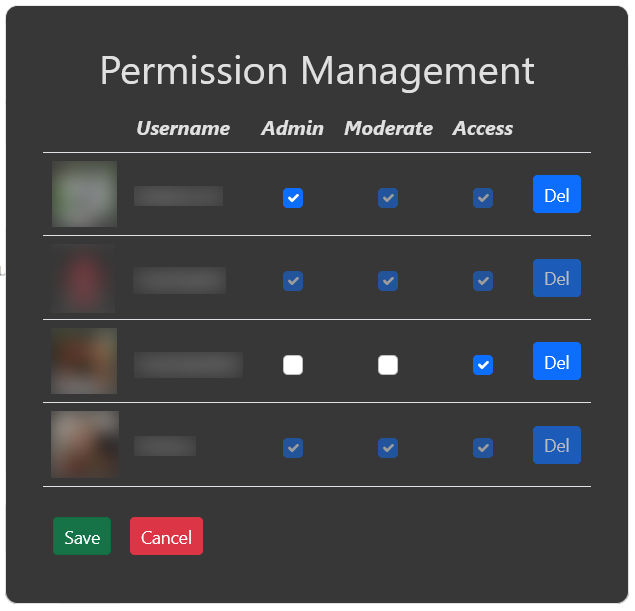
Permission management is used to define who is able to view this instance of Subtracker.
Users are automatically added to the list after they have opened the url of this instance and logged in using their twitch account.
Per default a user has no permission to view anything. Without setting permissions the user gets an "unauthorized" screen.
Each user can be granted the following permission:
- Access: With this permission the user can see all entries in Subtracker.
- Moderate: Setting this permission allows the user is able to mark lines as done.
- Admin: Users with admin permission have full control over this instance of Subtracker. They can set global preferences and grant or revoke permissions of other users (except permissions of the channel owner).
The "Del" button allows to remove users from the list.
After changing any permission, click "Save" to accept the changes or "Cancel" to revert them.
Permission Management require admin permission to be visible